How to use SlowGo
SlowGo plans rides for golf carts and low-speed vehicles on slower streets. Here is everything you need, one step at a time.
Signs and local rules win. Always follow posted signs and your town's rules.
- Get the app
- Let SlowGo see where you are
- Save your Home
- Search with Where to?
- Choose your route
- Start the ride
- Add a stop
- End the ride
- Your Favorites
- The Villages list
Get the app
On an iPhone, open the App Store. On an Android phone, open Google Play.
Search for SlowGo and tap Get (iPhone) or Install (Android). SlowGo is free.


Let SlowGo see where you are
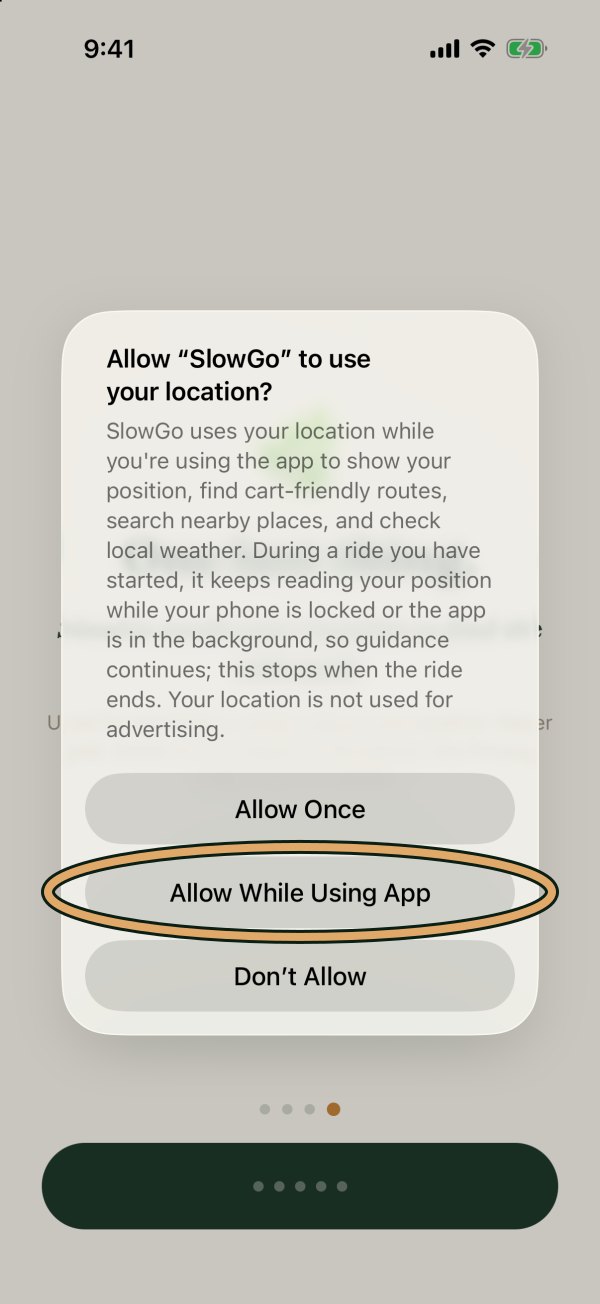
The first time you open SlowGo, it explains why it needs your location. Tap Continue.
Your phone then asks. Tap Allow While Using App.
Keep Precise Location turned on, so SlowGo knows which street you are on. To check: your phone's Settings, then SlowGo, then Location.
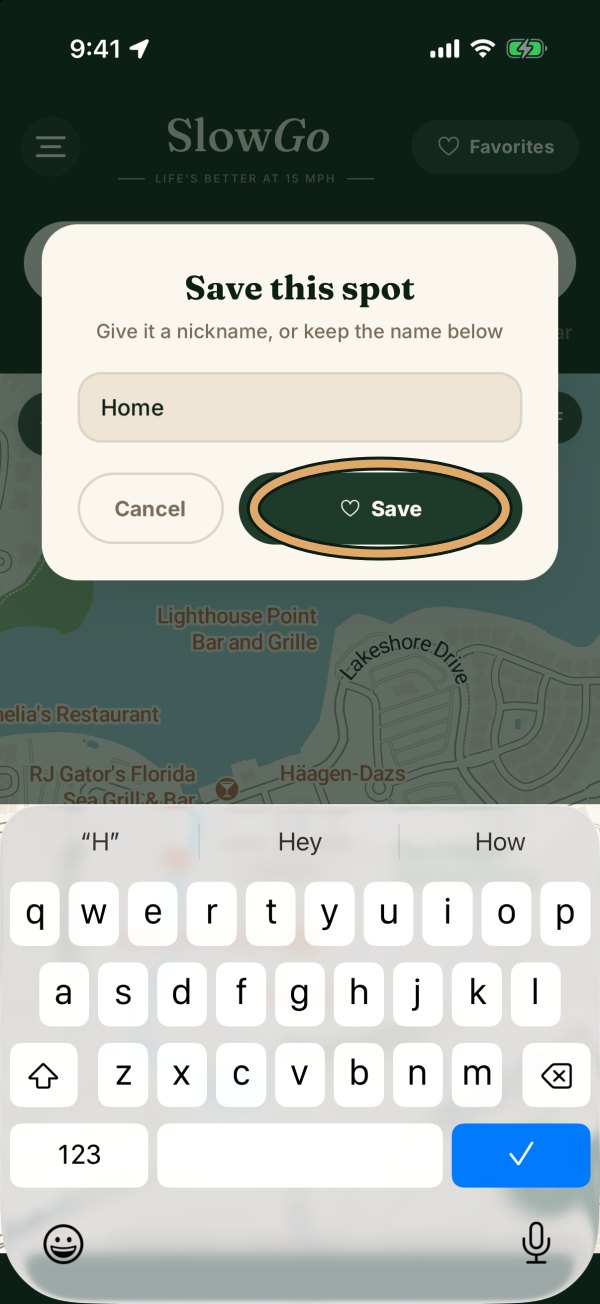
Save your Home
Tap the Where to? box and type your address.
Tap the heart next to your address, type the name Home, and tap Save.
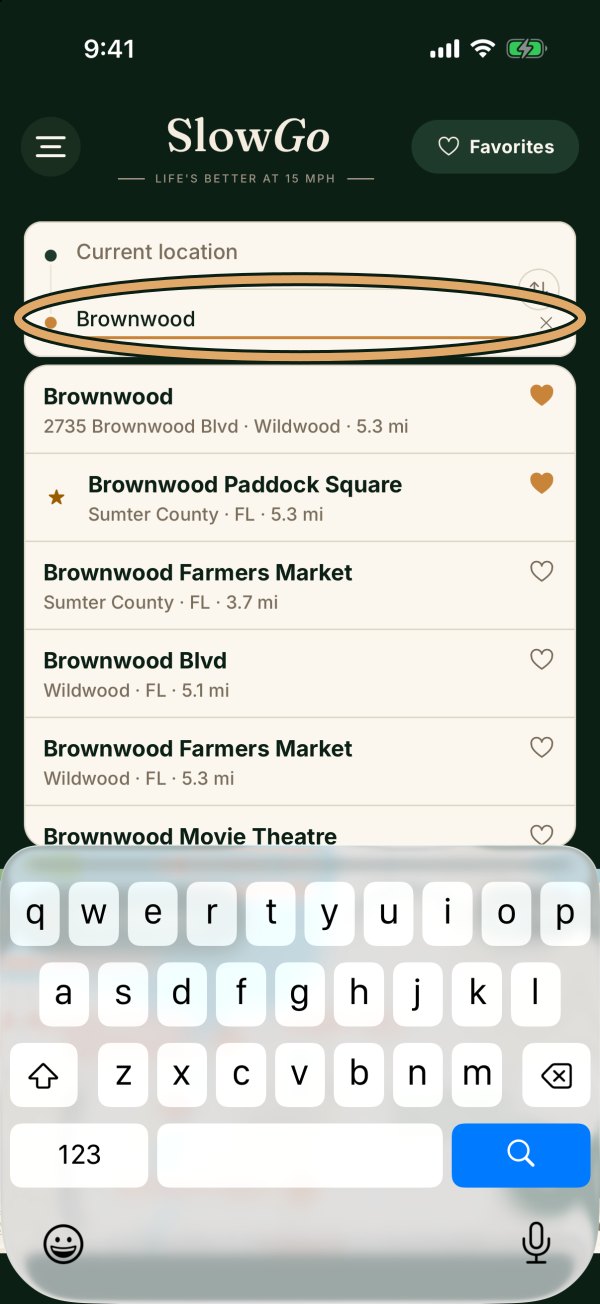
Search with Where to?
Tap the Where to? box at the top of the map.
Type a place, a store or an address, then tap it in the list.
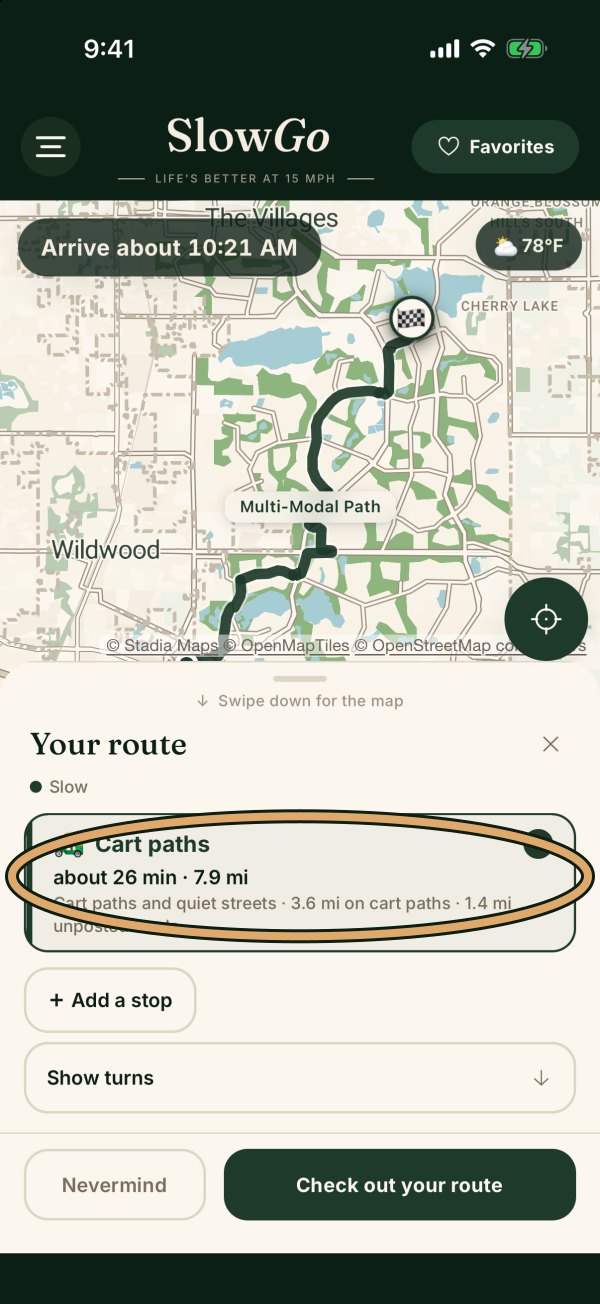
Choose your route
SlowGo shows the way to go with its time and miles, for example Cart paths. When there is more than one, tap the one you like.
Then tap Check out your route.
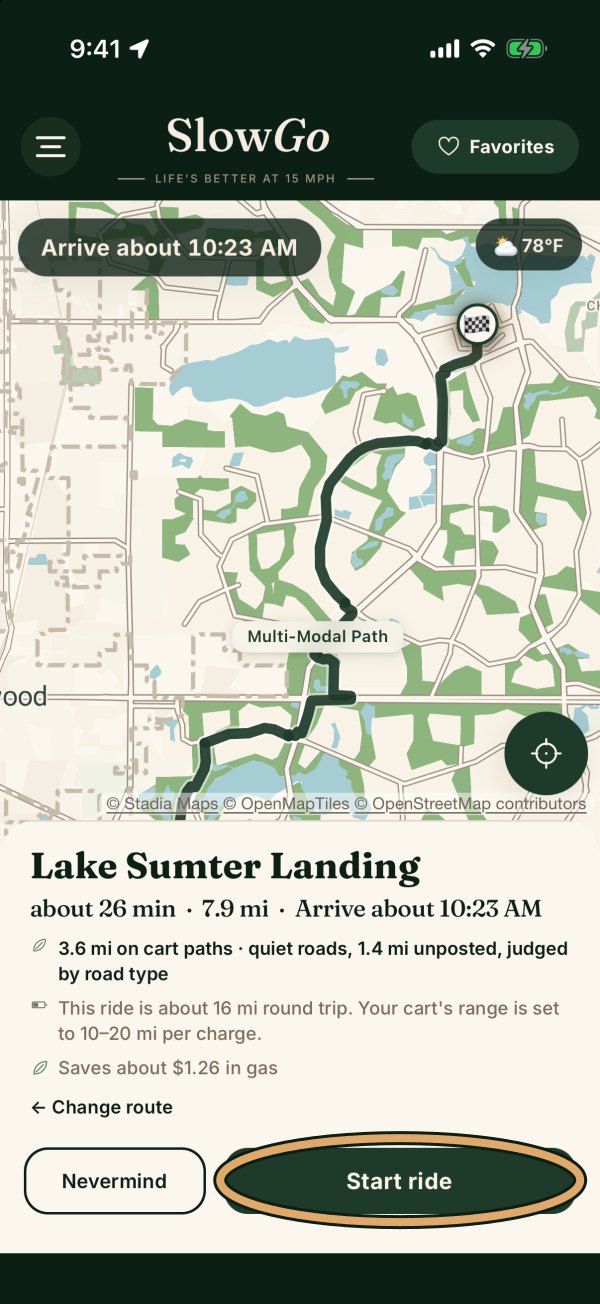
Start the ride
Tap Start ride. A voice tells you each turn, and the map follows you.
Keep your eyes on the path. The phone can stay in its holder.
Add a stop
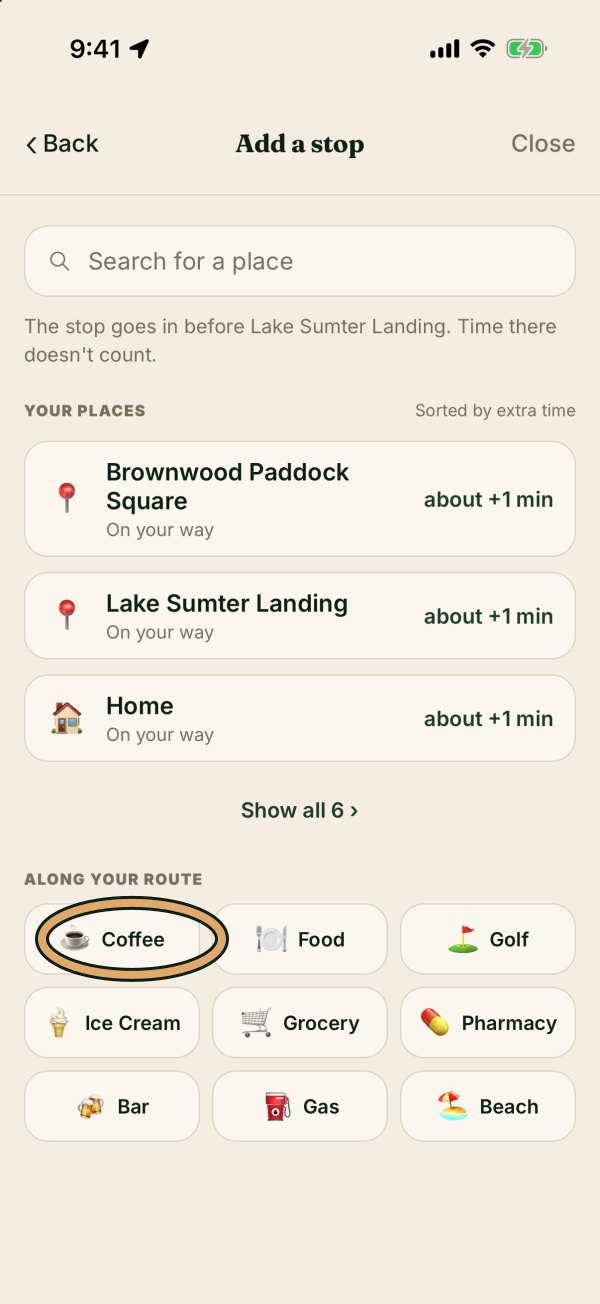
On the route screen, before you start, tap + Add a stop.
Pick a kind of place, like Coffee, then the place you want. SlowGo adds it to the ride and shows the extra time.
End the ride
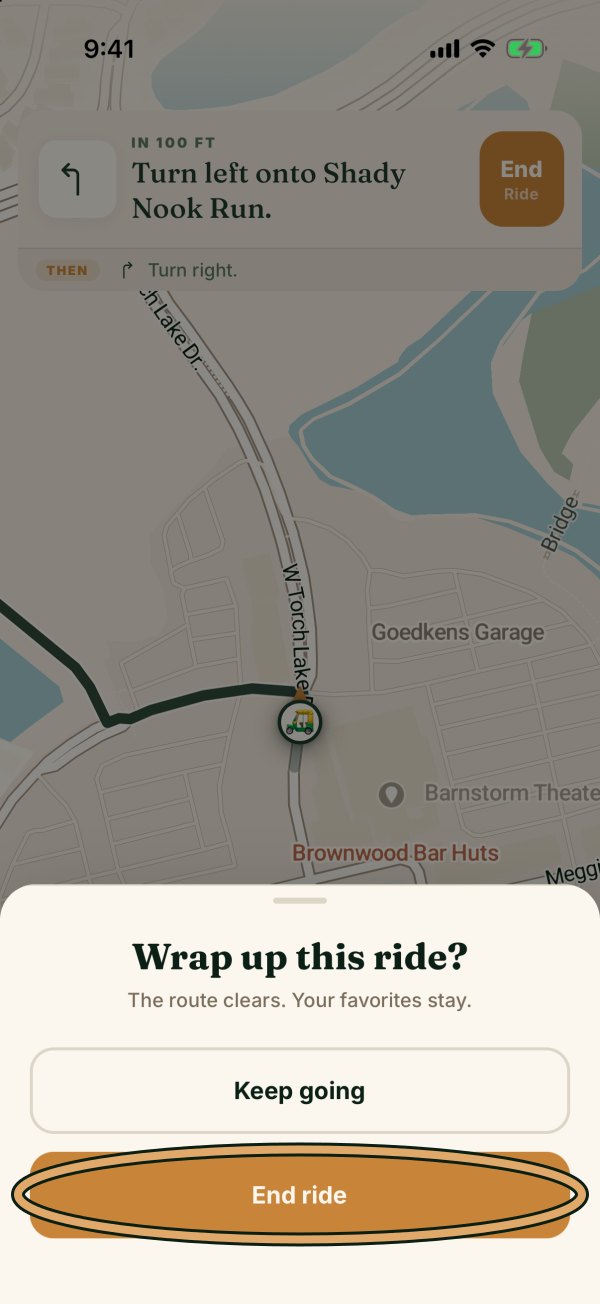
SlowGo tells you when you arrive.
To stop early, tap End Ride at the top of the screen, then tap End ride.
Your Favorites
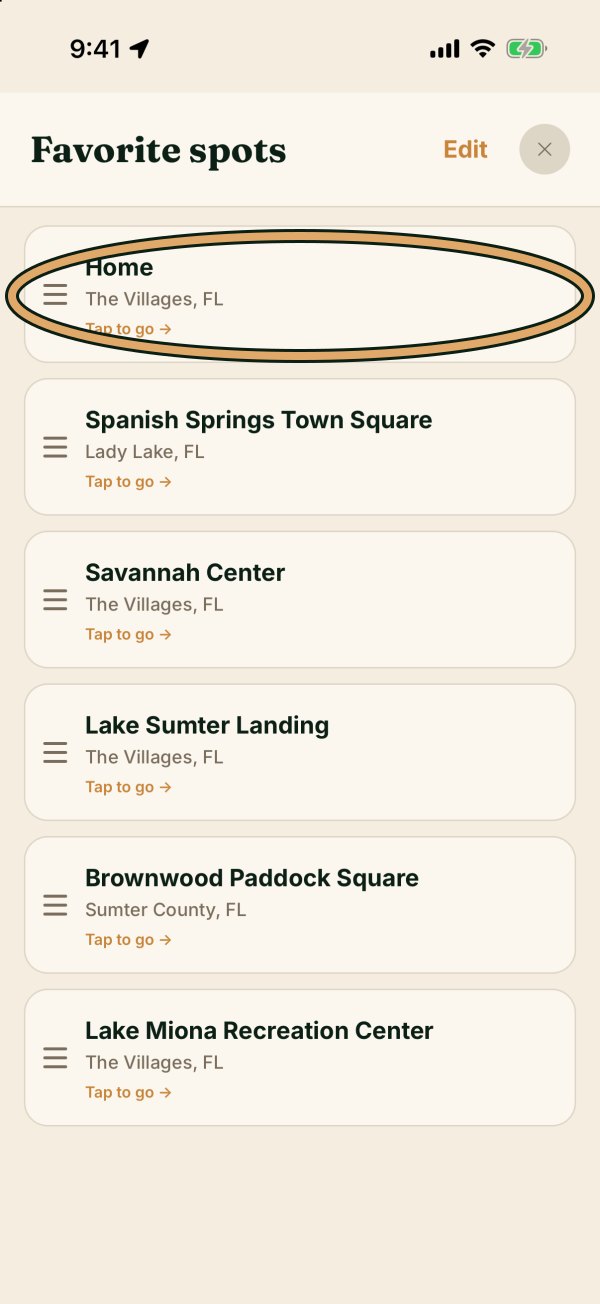
Tap Favorites at the top right of the map to see the places you saved.
Tap one to go there. Tap the heart next to any place to save it.
The Villages list
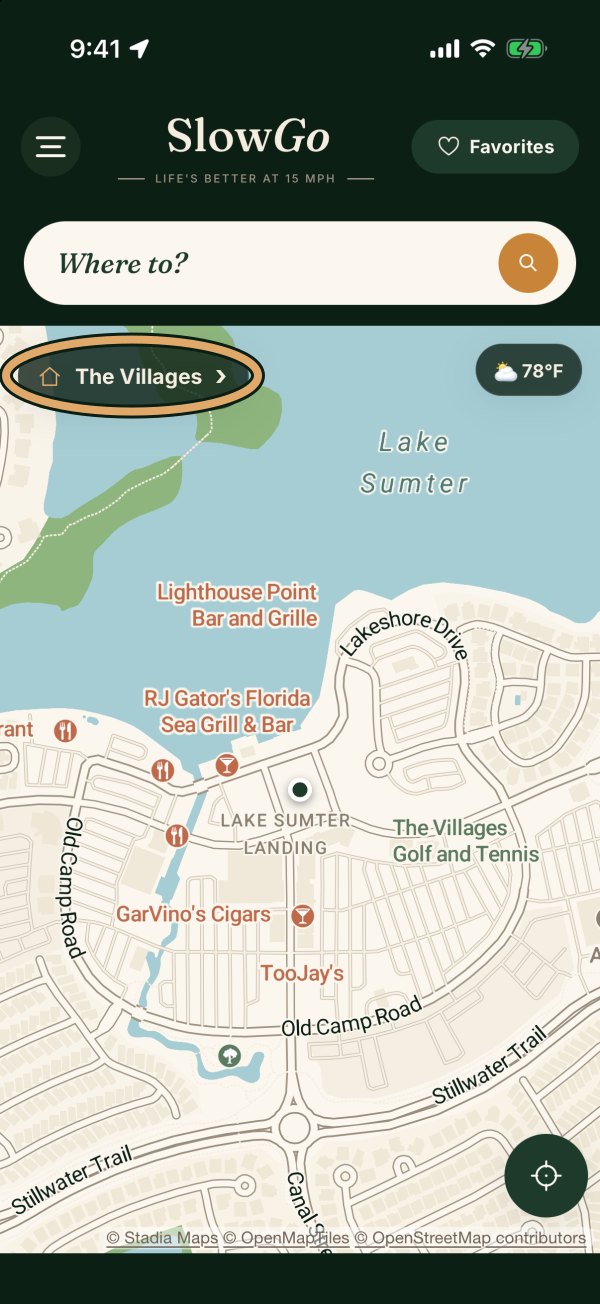
In The Villages, a The Villages button shows on the map.
Tap it for the town squares, recreation centers, pools and more. Tap a place to go there.
Watch it
Three short videos, no sound needed.
Signs and local rules win. Always follow posted signs and your town's rules. Questions? Write to hello@slowgoapp.com.
Print this guide (2 pages)